What is Google Ads?
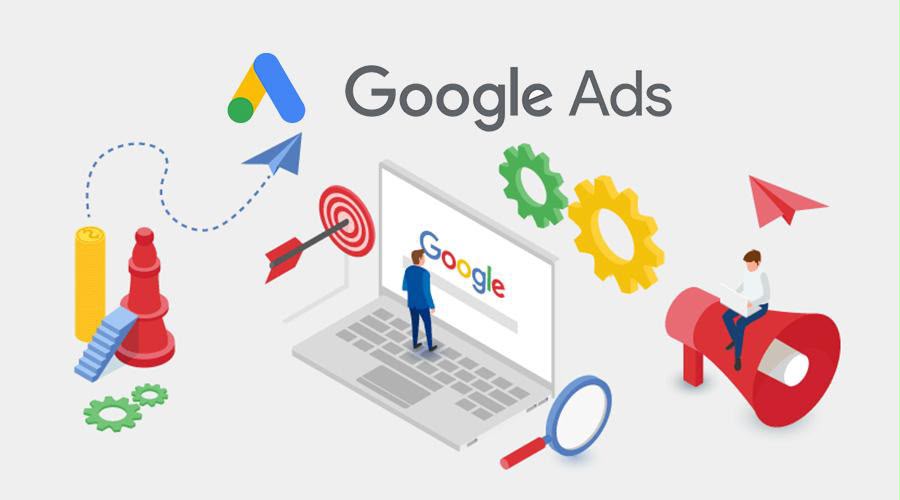
Google Ads is the online marketing platform of Google where a business can advertise its product and services on the network of Google. Businesses can put a paid ad on Google related to the products or services that are being searched by potential customers. The uniqueness of Google Ads is that unlike conventional advertising, businesses can target their audience based on various things such as keyword, geography, interest, demography, usage of devices, and search intention. For instance, if someone tries to search for the “best digital marketing agency in Kerala,” then a digital agency can display its ad at the top of the search result by using Google Ads. Therefore, it makes Google Ads a good platform to generate traffic, leads, sales, calls, and raise awareness of their brand.
How Does Google Ads Work?
Google Ads primarily works through an auction system. When a user searches on Google, Google determines which ads are eligible to appear and in what order.
Advertisers choose keywords related to their products or services and create advertisements around those keywords. They then set a budget and bid for potential clicks or other desired actions.
However, the advertiser offering the highest bid does not automatically receive the top position. Google also considers factors such as:
- Bid amount
- Ad relevance
- Landing page experience
- Expected click-through rate
- Ad quality
- Search context
This means creating relevant, useful, and high-quality advertisements is just as important as having a competitive budget.
Types of Google Ads
Google provides different advertising formats to help businesses achieve different marketing objectives.
1. Search Ads
Search Ads appear on Google search results when users search for specific keywords.
For example:
User searches:
“Digital marketing agency in Kerala”
Ad:
“Professional Digital Marketing Services | Grow Your Business Online”
Search Ads are particularly useful for reaching customers who are already actively searching for a product or service.
2. Display Ads
Display Ads are visual advertisements that appear across websites, apps, and other platforms within the Google Display Network.
They can include:
- Images
- Text
- Banners
- Interactive elements
Display advertising is useful for brand awareness, remarketing, and reaching potential customers while they browse online.
3. Shopping Ads
Google Shopping Ads allow e-commerce businesses to showcase their products directly in Google search results.
These ads can display information such as:
- Product image
- Product name
- Price
- Store name
- Promotional information
They are especially useful for online stores looking to increase product visibility and sales.
4. Video Ads
Video Ads are primarily used on platforms such as YouTube and across Google’s video advertising ecosystem.
Businesses can use video campaigns to:
- Build brand awareness
- Promote products
- Explain services
- Generate leads
- Retarget potential customers
Video content can be particularly effective because it combines visuals, audio, and storytelling.
5. App Ads
App campaigns help businesses promote mobile applications and encourage users to install or interact with their apps.
Google can distribute these advertisements across relevant Google properties to help businesses reach potential app users.
6. Performance Max Campaigns
Performance Max campaigns allow advertisers to access multiple Google advertising channels through a single campaign.
Depending on the campaign and available inventory, ads can reach users across Google properties such as Search, YouTube, Display, Discover, Gmail, and Maps.
This campaign type uses Google’s automation and machine learning to optimize toward the advertiser’s selected conversion goals.
Why is Google Ads Important for Digital Marketing?
Google Ads can play an important role in a business’s digital marketing strategy because it allows businesses to reach potential customers at the right moment.
1. Immediate Visibility
SEO can take time to generate organic rankings. Google Ads can provide businesses with visibility on search results much faster.
2. Targeted Advertising
Businesses can target audiences based on relevant keywords, location, demographics, interests, and other signals.
3. Measurable Results
Google Ads provides data that helps advertisers understand campaign performance.
You can track metrics such as:
- Impressions
- Clicks
- Click-through rate
- Cost per click
- Conversions
- Conversion rate
- Cost per conversion
4. Budget Control
Advertisers can set campaign budgets and control how much they are willing to spend.
5. Lead and Sales Generation
When campaigns are properly structured, Google Ads can help businesses generate qualified leads, website purchases, calls, and other valuable actions.
6. Remarketing
Businesses can reconnect with people who have previously interacted with their website, products, or other digital assets, depending on campaign eligibility and audience settings.
Google Ads Campaign Types
Google Ads has campaign types that are made to help businesses meet specific marketing goals. Search Ads are good for reaching people who are looking for products or services and Display Ads help companies increase awareness on websites and apps. Shopping Ads are very helpful, for businesses because they let products show up right in search results. Video Ads can help brands connect with their audience using video content. Performance Max campaigns let businesses advertise on Google platforms with just one campaign. Picking the campaign type depends on what your business wants to achieve who you want to reach how much money you have and what kind of results you are looking for.
Understanding Google Ads Keywords
Keywords play a major role in connecting your Google Ads with the right potential customers. The keywords you select should closely match the products or services your business offers and reflect what your target audience is likely to search for online. Using a combination of specific and broader search terms can help you reach users at different stages of their buying journey.
It is also important to understand search intent when selecting keywords. Some users may be looking for general information, while others may already be ready to make a purchase or contact a business. Selecting keywords based on these different intentions can help you attract more relevant traffic and avoid spending your advertising budget on searches that are unlikely to generate results.
Negative keywords are another useful part of keyword management. They allow you to exclude irrelevant search terms and reduce unwanted clicks. By regularly reviewing your keyword performance and making necessary adjustments, you can improve ad relevance, reach a more targeted audience, and make better use of your Google Ads budget.
A well-planned keyword strategy can ultimately help your campaigns attract higher-quality visitors, generate more relevant leads, and achieve better overall advertising performance.
What is Quality Score?
Quality Score is a diagnostic metric in Google Ads that provides insight into the quality and relevance of your keywords and ads.
It is generally evaluated on a scale of 1 to 10.
Google considers factors such as:
Expected click-through rate
Ad relevance
Landing page experience
A strong Quality Score can indicate that your ads and landing pages are relevant to the searches you’re targeting.
However, Quality Score is a diagnostic tool, not the sole factor that determines ad position or campaign performance.
What is CPC in Google Ads?
CPC stands for Cost Per Click. It means the amount an advertiser pays when someone clicks on their ad. For example if you spend one thousand rupees and get one hundred clicks: CPC equals one thousand rupees divided by one hundred equals ten rupees per click CPC can be different based on factors, like industry, competition, keyword demand, location and campaign settings
What is CTR?
In settings the term CTR stands for Click-Through Rate.
The Click-Through Rate measures how often people actually click on your advertisement after they see it.
The formula to calculate the Click-Through Rate is simple:
CTR is equal to the number of clicks divided by the number of impressions multiplied by 100.
For instance let us say your ad gets 50 clicks from 1,000 impressions.
To find the Click-Through Rate you do this:
CTR is equal to 50 divided by 1,000 multiplied by 100 which gives you 5 percent.
When the Click-Through Rate is high it means your advertisement is probably relevant and attractive, to the people who see it.
However what is considered a good Click-Through Rate can vary depending on the type of campaign and the context of the Click-Through Rate.
What is Conversion Tracking?
Conversion tracking allows advertisers to measure valuable actions that happen after someone interacts with an advertisement.
Conversions can include:
- Form submissions
- Purchases
- Phone calls
- Sign-ups
- App installations
- Bookings
- Other important business actions
Without proper conversion tracking, it becomes much harder to understand whether your advertising budget is actually producing business results.
Google Ads Budget and Cost
One of the major advantages of Google Ads is the ability to control how much you spend on advertising. Your budget can be adjusted based on your business goals, competition, target audience, and expected results. Google Ads generally works on a pay-per-click model, meaning you typically pay when someone clicks on your advertisement. However, the actual cost of a click can vary depending on factors such as keyword competition, industry, location, and ad quality. Instead of focusing only on getting more clicks, businesses should focus on generating valuable clicks that have the potential to become leads or customers.
Measuring the Success of Google Ads
The success of a Google Ads campaign should not be measured by how many people click on the ads and how many people see them. There are important things to look at, like the Google Ads Click-Through Rate, the Google Ads Cost Per Click the Google Ads Conversion Rate, the Google Ads Cost Per Conversion and the Google Ads Return on Ad Spend. These Google Ads metrics give us an idea of how the Google Ads campaign is doing. When businesses understand these Google Ads metrics they can see what is working with their Google Ads campaign what needs to be improved with their Google Ads campaign and where they should spend their Google Ads money. By looking at how their Google Ads campaign’s doing on a regular basis businesses can make good decisions based on the Google Ads data and get a better return, from their Google Ads campaign.
How to Create a Successful Google Ads Campaign
Step 1: Define Your Goal
First, determine what you want your campaign to achieve.
For example:
More leads → More sales → More website traffic → More calls → Brand awareness
Step 2: Identify Your Target Audience
Understand who your ideal customers are and where they are located.
Step 3: Conduct Keyword Research
Find keywords that your potential customers are likely to search for.
Step 4: Create Relevant Ads
Your ad copy should clearly communicate:
- What you offer
- Why customers should choose you
- Your key benefits
- A clear call to action
Step 5: Optimize Your Landing Page
Your landing page should be relevant to the advertisement and provide a smooth user experience.
Step 6: Set Your Budget
Choose a budget that fits your marketing objectives and expected customer value.
Step 7: Track Conversions
Set up conversion tracking so you can measure meaningful results.
Step 8: Monitor and Optimize
Regularly review campaign performance and make data-driven improvements to keywords, ads, audiences, bids, and landing pages.
Common Google Ads Mistakes to Avoid
e:
❌ Targeting irrelevant keywords
Irrelevant keywords can attract users who are unlikely to become customers.
❌ Writing generic advertisements
Your ad should clearly communicate why someone should click.
❌ Ignoring negative keywords
Negative keywords can help prevent your ads from appearing for searches that are not relevant to your business.
❌ Sending everyone to the homepage
A dedicated and relevant landing page can provide a better user experience than sending every visitor to the homepage.
❌ Not tracking conversions
Without conversion tracking, you may not know which campaigns are actually generating business results.
❌ Focusing only on clicks
Getting clicks is not always the final goal. Businesses should focus on meaningful outcomes such as leads, sales, bookings, or other conversions
Google Ads Best Practices
For better campaign performance, businesses should:
✔ Use relevant keywords
✔ Write compelling ad copy
✔ Use appropriate match types
✔ Add negative keywords when necessary
✔ Create relevant landing pages
✔ Track conversions
✔ Test different advertisements
✔ Monitor search terms
✔ Analyze campaign data regularly
✔ Optimize based on actual business results
Google Ads and Digital Marketing Strategy
Google Ads should not be treated as an isolated marketing activity.
A strong digital marketing strategy can combine:
SEO + Google Ads + Social Media Marketing + Content Marketing + Email Marketing + Conversion Rate Optimization
For example, SEO can help a website build long-term organic visibility, while Google Ads can provide faster visibility for important products and services.
Social media can help build awareness and engagement, while remarketing can help reconnect with people who have already interacted with the brand.
Together, these channels can create a more complete digital marketing strategy.
Conclusion
Google Ads is one of the most powerful tools available for businesses that want to reach potential customers online. From Search and Display Ads to Shopping, Video, App, and Performance Max campaigns, Google provides businesses with multiple ways to connect with their target audience.
However, successful Google Ads campaigns require more than simply setting a budget and creating an advertisement. Keyword research, audience targeting, compelling ad copy, landing page experience, conversion tracking, and continuous optimization all play an important role.
When used strategically, Google Ads can help businesses increase visibility, generate qualified leads, drive sales, and achieve measurable digital marketing results.
Frequently Asked Questions
1. What is Google Ads?
Google Ads is Google’s online advertising platform that allows businesses to promote their products and services across Google’s advertising network.
2. Is Google Ads free?
No. Google Ads is a paid advertising platform where advertisers pay based on their chosen campaign and bidding model.
3. Is Google Ads better than SEO?
Neither is universally better. Google Ads can provide faster paid visibility, while SEO focuses on building organic search visibility over time. Using both can be beneficial.
4. How much money do I need to start Google Ads?
There is no universal minimum budget that guarantees results. Your budget should depend on your industry, target audience, competition, and business goals.
5. Can Google Ads help small businesses?
Yes. Small businesses can use Google Ads to target specific locations, services, products, and audiences while controlling their advertising budget.
6. What is the difference between CPC and CTR?
CPC measures the cost of a click, while CTR measures the percentage of impressions that result in clicks.